 Desktop AI · Coming at alpha
Your own AI agent,
running on your computer.
Open a project. Ask a question. Put an open model to work on your files, with tools you control.
Downloads
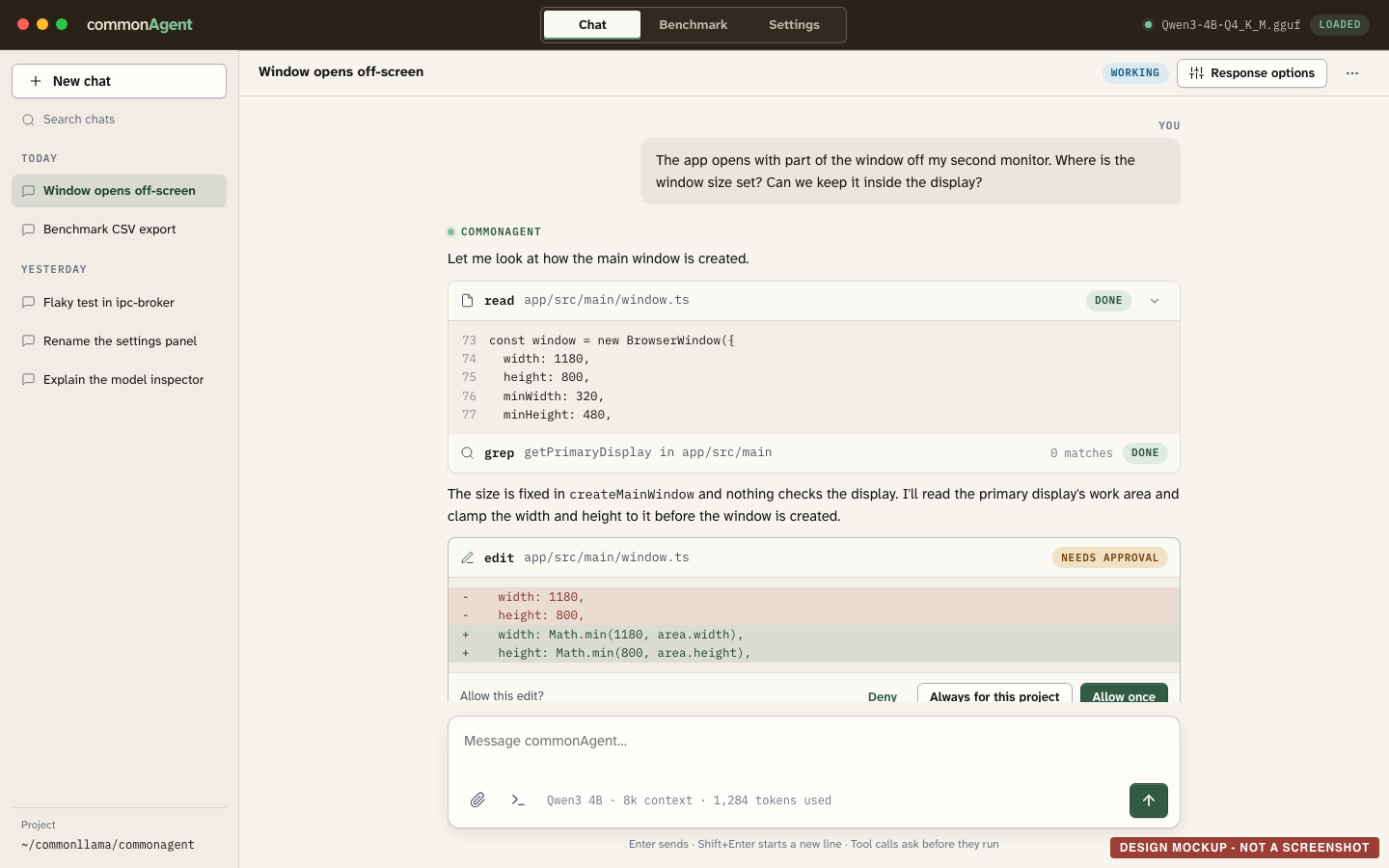
Files, projects, and permission
Let it look around.
You decide what it can do.
Ask where a setting lives, how unfamiliar code works, or what needs to change. The agent reads and searches your project, runs commands and proposes edits under the permissions you give it.
Start with a model that fits. commonAgent recommends a model for your computer. Choose a supported GGUF model file and switch models when you need to.
Conversation memory
Close it.
Come back to the conversation.
The KV cache is the AI’s memory of the conversation so far. Saving it to disk lets the AI return to the conversation and load that memory back in, rather than read everything from the start again.
Time to first token after reopening
Load saved memoryRe-read conversation
Qwen3-4B
5,000 tokens
17,100 tokens
27,500 tokens
0 110 seconds
Qwen3.5-4B
5,000 tokens
17,100 tokens
32,700 tokens
0 110 seconds
Gemma 4 12B
4,100 tokens
16,800 tokens
33,000 tokens
0 110 seconds
Median of 3 quit-and-reopen runs per row. MacBook with Apple M5 Pro, 24 GB, Metal; Q4_K_M models. Model files already in the operating system’s disk cache. Plain chat conversations, plus about 6,000 tokens of instructions and tool list that are also restored. Every bar uses the same scale.
The conversation service
commonResponse
A local Responses API for text and function calls.
Inside commonAgent.
Independent when you need it.
commonResponse connects apps and agents to the commonllama engine. In commonAgent, it streams answers and tool calls, saves conversation history and restores the model’s working state when you return.
Developers can run commonResponse as a standalone service, connect OpenCode, or use the local API in their own applications.
Protection beyond the transcript
Stored history and saved model context are encrypted with AES-256-GCM. In commonAgent, choose your Mac’s keychain or your own passphrase to unlock them. Several conversations can run at once, each with its own stream and saved state.
Benchmark and contribute
See how a model runs on your computer.
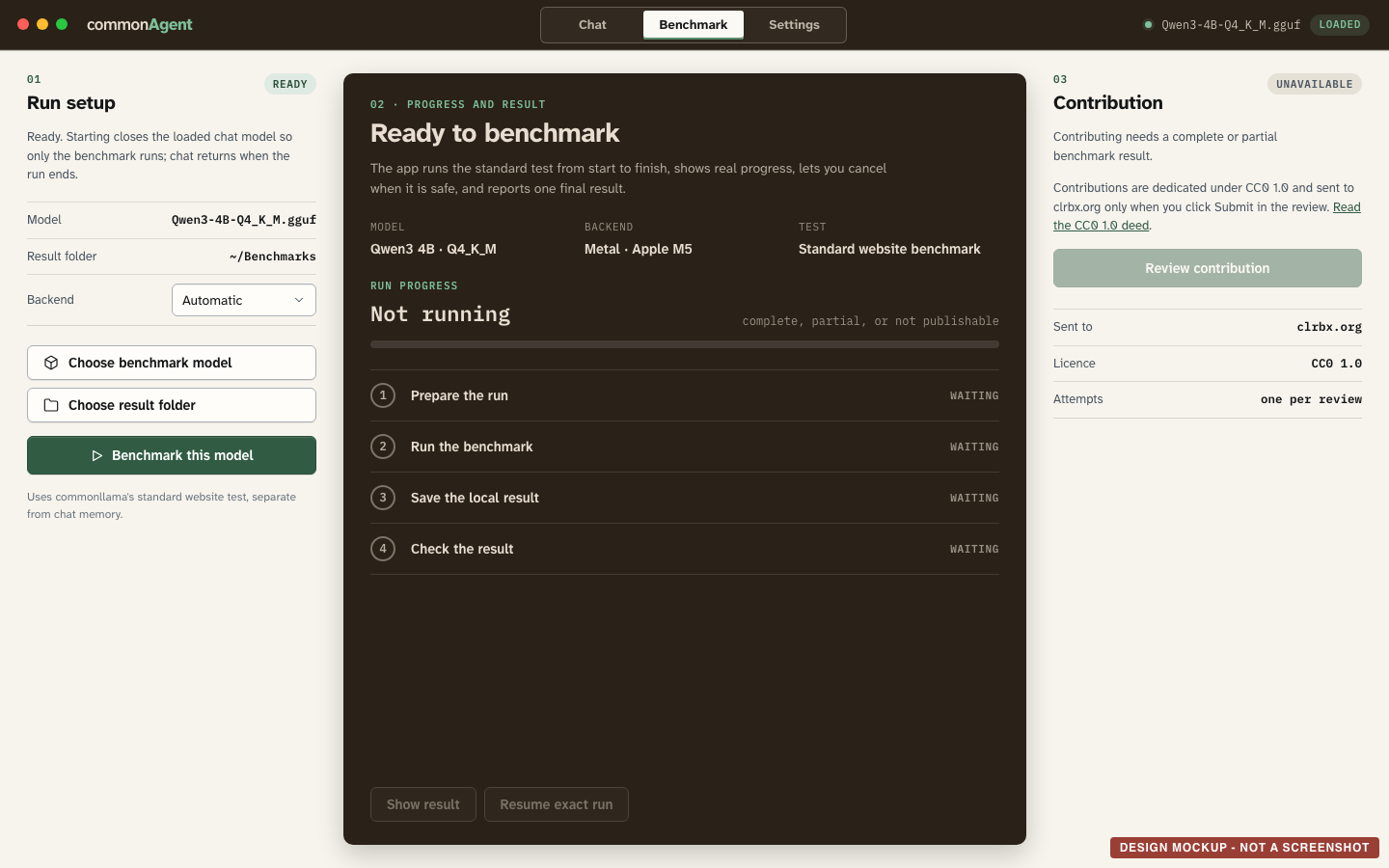
Run the standard benchmark inside commonAgent. Keep the result for yourself, or contribute it to the community from the app.
Choose the model
Pick a model file, result folder and backend in the Benchmark tab.
Run the test
Follow its progress and save the result on your computer.
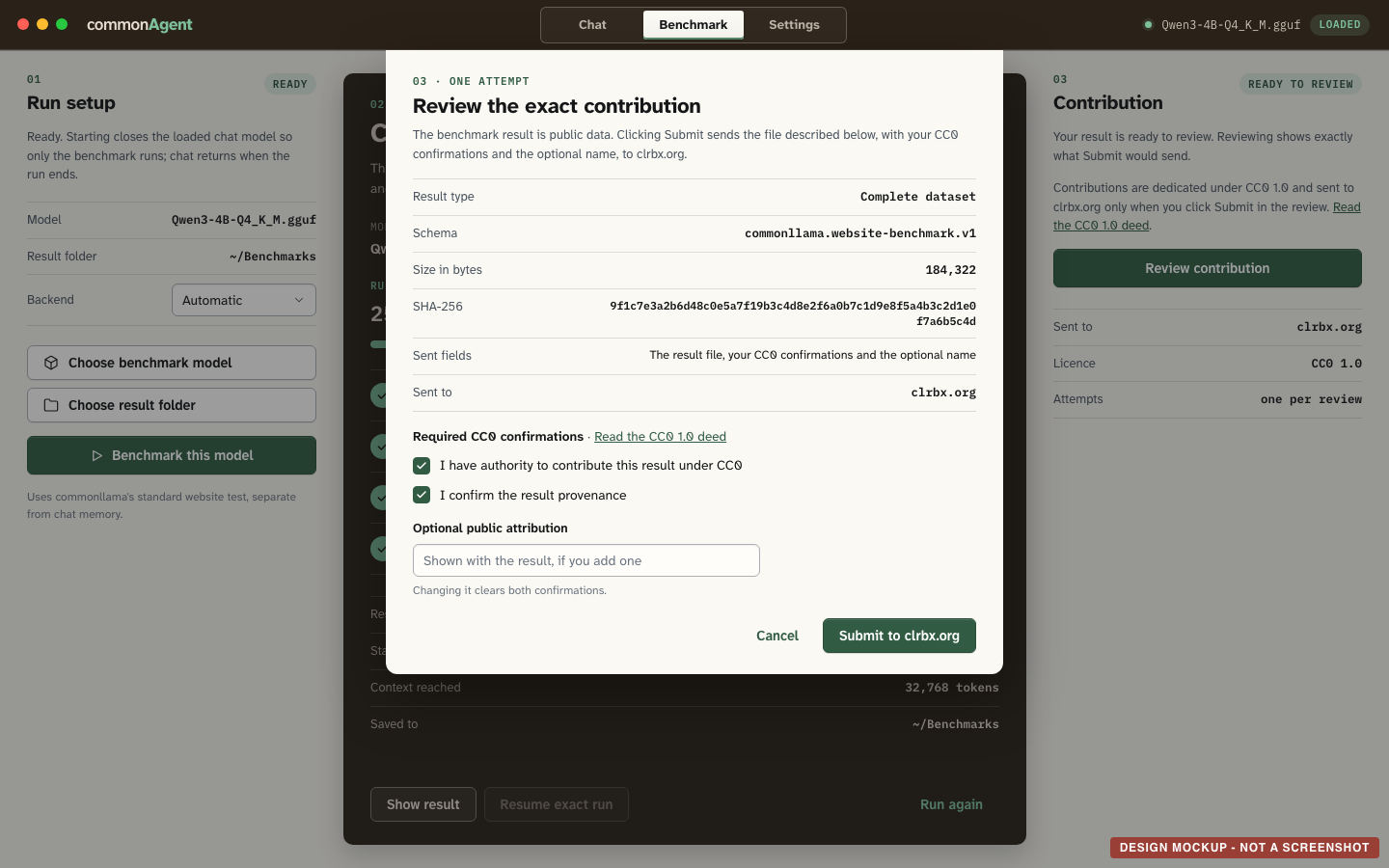
Review, then contribute
The app shows the exact result file and destination before you submit. Contributions go to clrbx.org as public CC0 1.0 data.
See the contribution review
Inside commonAgent
The app, the agent,
and the engine.
commonAgent brings the conversation service, agent tools and model engine together in one desktop app.
- commonAgent
- Your conversations, model setup and permissions.
- OpenCode
- The agent that reads and searches files, runs commands and proposes edits under your permissions.
- commonllama
- The engine that runs the model and saves and restores its prepared context, based on llama.cpp.